Your First dotHuman
The key elements to a working dotHuman, in order. (In a hurry? The Quickstart is the five-minute version of this.)
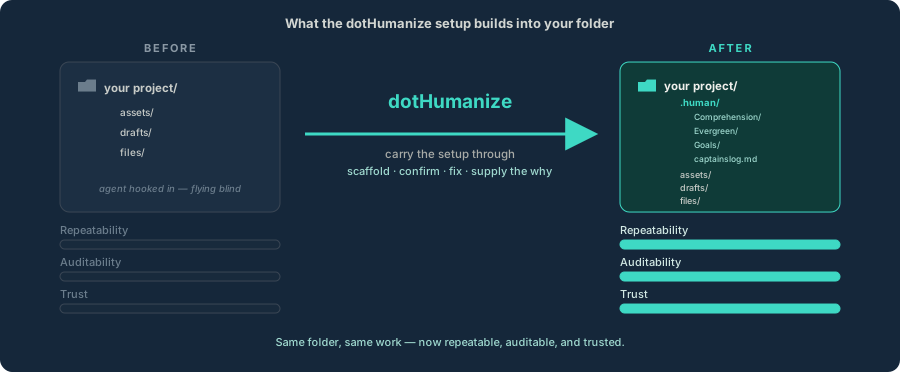
.human/ directory (Goals, Comprehension, Evergreen, captain's log) leads your project, and the repeatability · auditability · trust meters fill.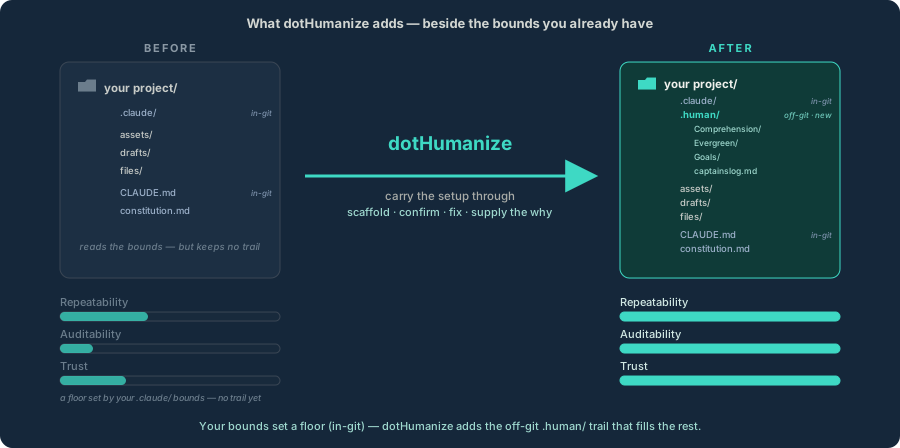
.claude/, CLAUDE.md) already set a floor — the meters start partly full. dotHumanize adds the off-git .human/ trail beside them, and the meters fill the rest. Your bounds set the floor; .human/ fills the gap.1 · Put a dotHuman on it
Run dotHumanize — the one pseudoskill that ships — on your project folder. It works either way:
- Fresh project (greenfield): it lays a new
.human/floor from scratch. - Existing project: it reads what's already there and lays a floor that reflects it.
Same tool, two modes — so there's one path, not two. dotHumanize covers what it sets up and keeps tending.
2 · You get a floor you can trust
dotHumanize lays the pillars — Goals, Comprehension, Evergreen, Reports, and the captain's log — stating only what it can prove. That's your floor: a small, trustworthy base, not a wall of guesses.
3 · Decide what enters git
Whether the .human/ layer is committed is a deliberate choice — ignore by default, share on purpose. Pick once; revisit anytime.
4 · Work your goals on it
Now do the work as Goals. Every goal feeds the floor — comprehension sharpens, lessons compound — so the next one starts better than the last.
This page is the one-time part: the before/after of putting a dotHuman on a project. From here, every goal runs the lifecycle — the repeating loop that makes each one more reliable than the last. Everything else (the pillars, dotHumanize, the building blocks) is reference you reach for as you go, not steps to finish first.
Last updated